webversion - update profile

Logo

Skip the calls. Call out in seconds—right from your app.

Untitled-design-15

Missed calls. Morning confusion. Delayed responses. We’ve heard the same challenge from both sides: when a driver can’t work a scheduled shift, there’s no easy way to notify dispatch in advance—and the result is last-minute scrambling.


To fix that, we’ve introduced the Call Out feature inside the Darter Driver App. Now, drivers can mark themselves unavailable directly from the app, and dispatchers are notified instantly. This keeps trips moving, reduces failed assignments, and gives everyone more time to adapt.


What This Feature Does

Untitled design (16)

Drivers can now call out without needing to make a phone call or wait for a response. It’s fast, clear, and visible to dispatch in real time. Dispatchers get alerts as soon as a driver calls out, can view the full list of unavailable drivers, and decide how to handle the affected trips.

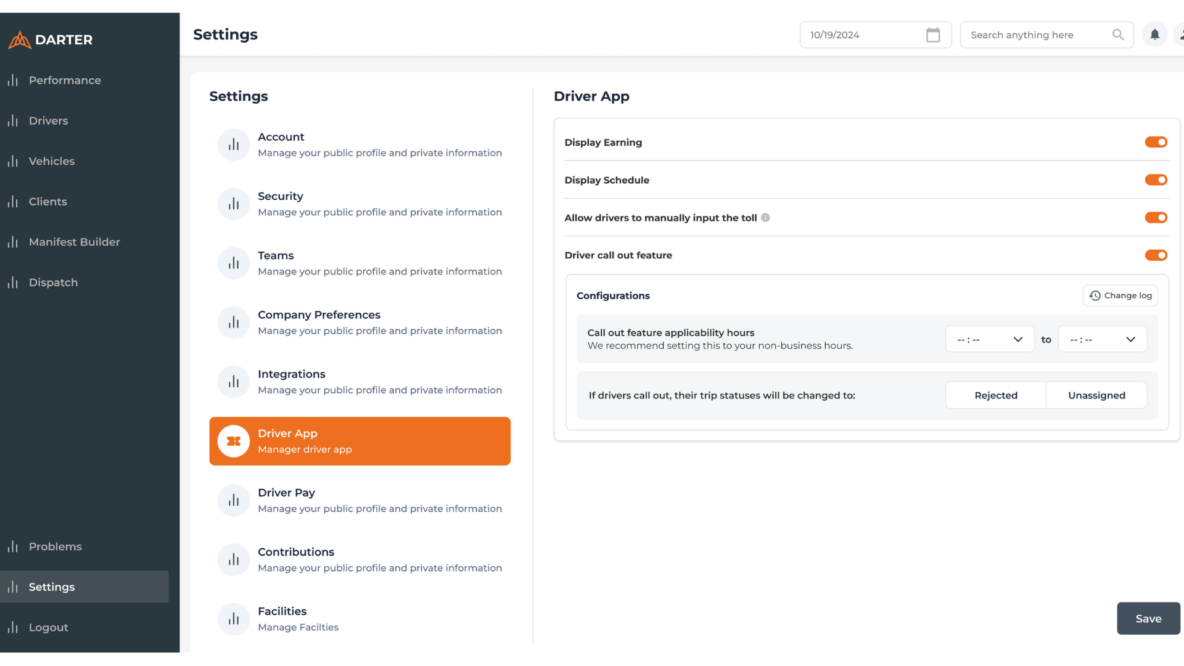
Providers and brokers also have the flexibility to customize how this works—setting call-out hours, choosing whether trips should be marked as “Unassigned” or “Rejected back to Broker,” and confirming trip reassignments with full visibility into who’s available.




How It Works

Screenshot 2025-04-04 at 13.44.33
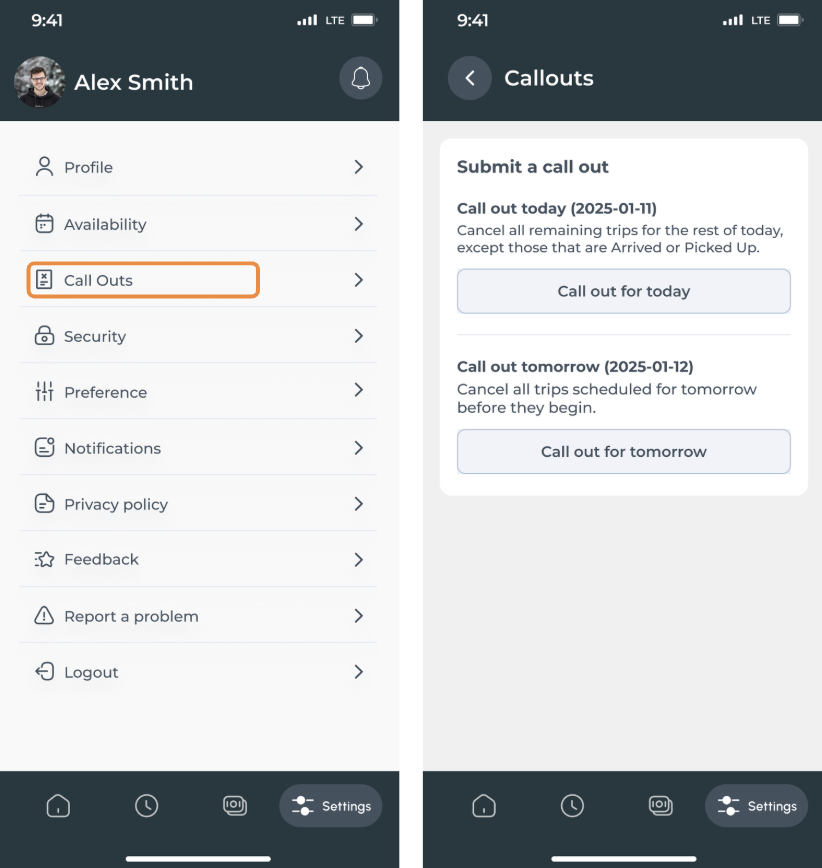
1. Open the Darter Driver App

2. Tap Call out for today / Call out for tomorrow

3. Select a time within your provider’s allowed window

4. Confirm the request

5. You’ll be marked unavailable, and dispatch will be notified automatically.


Note: Call-out hours are configurable by the transportation provider. If you’re unsure what times apply, check with your team lead or manager.