Leave the Paperwork, Focus on Operations
We know dealing with congestion fees is still a manual and time-consuming process. Each time you process payments or prepare reports for regulatory bodies or partner organizations, you have to remember to calculate and include these fees by hand.
It's a small task, but one that adds up over time—creating extra work, increasing the chance for errors, and slowing down already busy teams.
How this Feature Helps- Customizable congestion prices at the contract level so you never have to focus on when to pay the fees.
- Integrate congestion fees into your driver pay export.
- Alert Drivers about fees so everyone is on the same page. No more hassle of why fees are being applied.
|
|
Where To Find The Feature
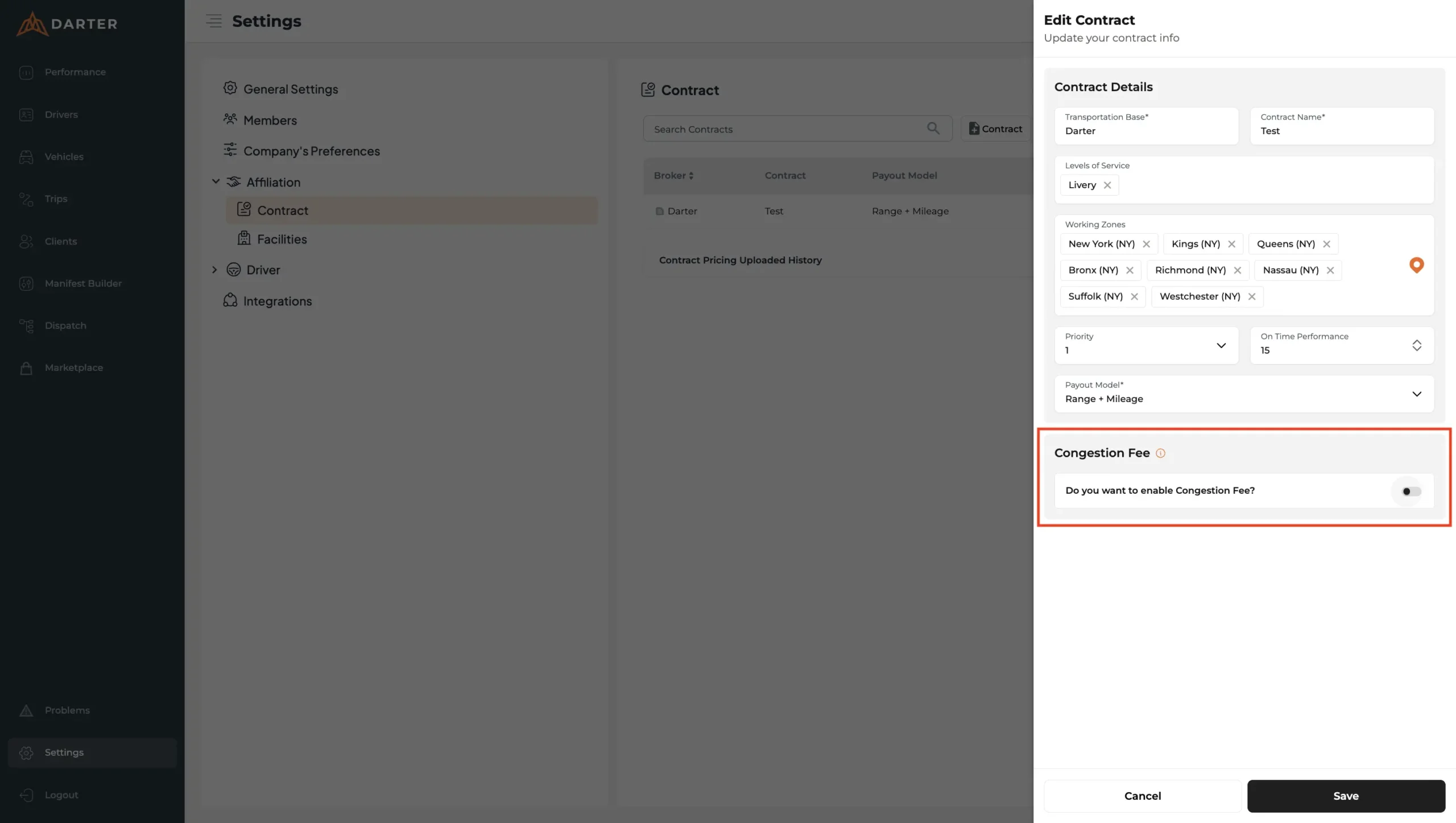
Finding Congestion Pricing is super easy. All you have to do is go to Settings > Affiliation > Contract
|
|
How To Disable/Enable The Feature
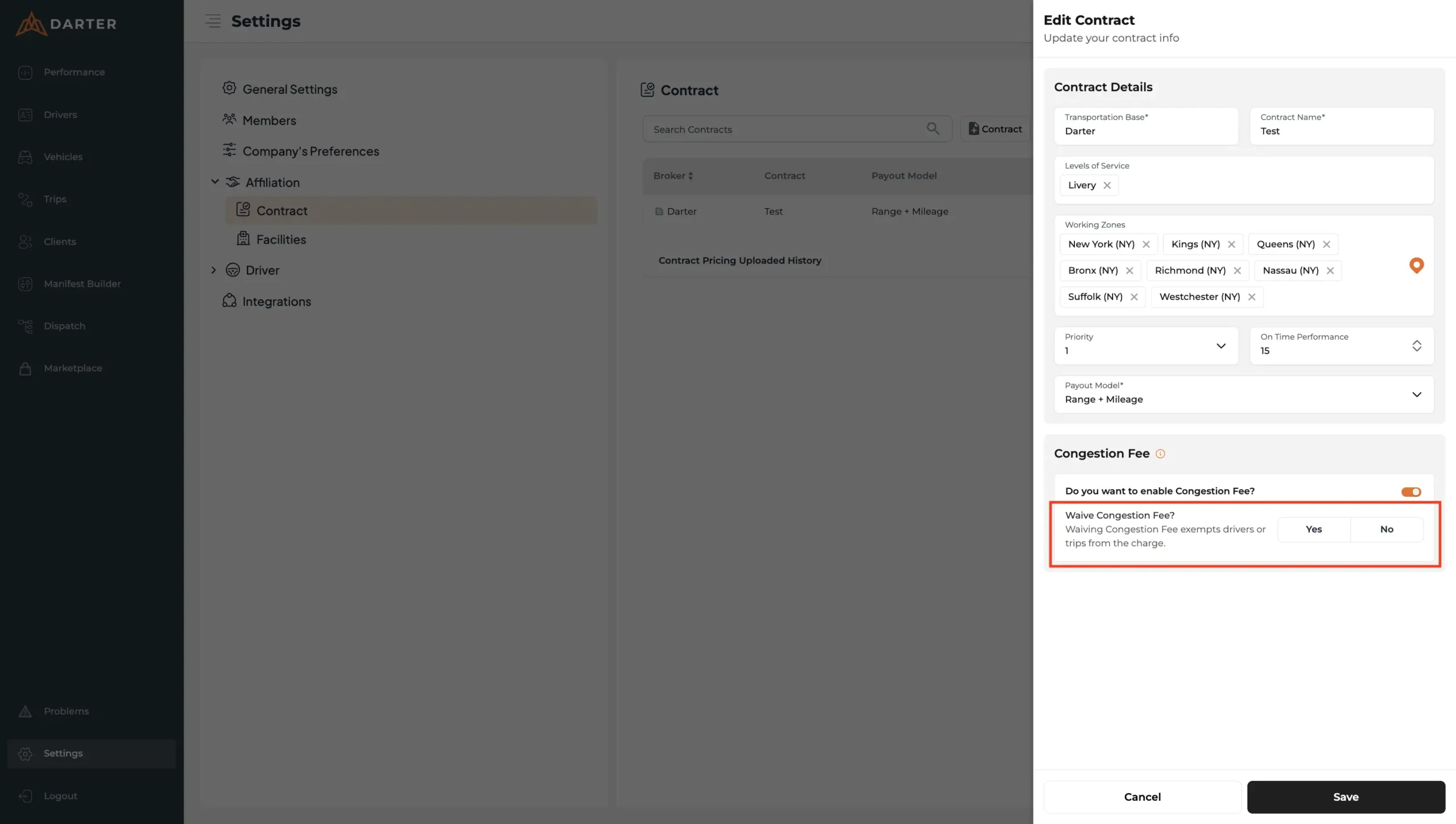
Follow these instructions- Go to Settings > Affiliation > Contract
- Click the pencil icon on the contract that you wish to activate it for
- Enable Congestion Fee on Contracts You Manage
- If enabled, choose whether the fee needs to be waived or not
|
|
|
Because it’s not about working harder—it’s about using the right tools to grow with confidence. You’re not just running trips. You’re building a reputation, shaping partnerships, and proving your reliability every day. We are here to support that with tools that adapt to your team, your goals, and your growth.
Thanks for moving with us.
|
|
|
Need help configuring the feature or want guidance on best practices? Reach us at support@darter.ai
|
|
|