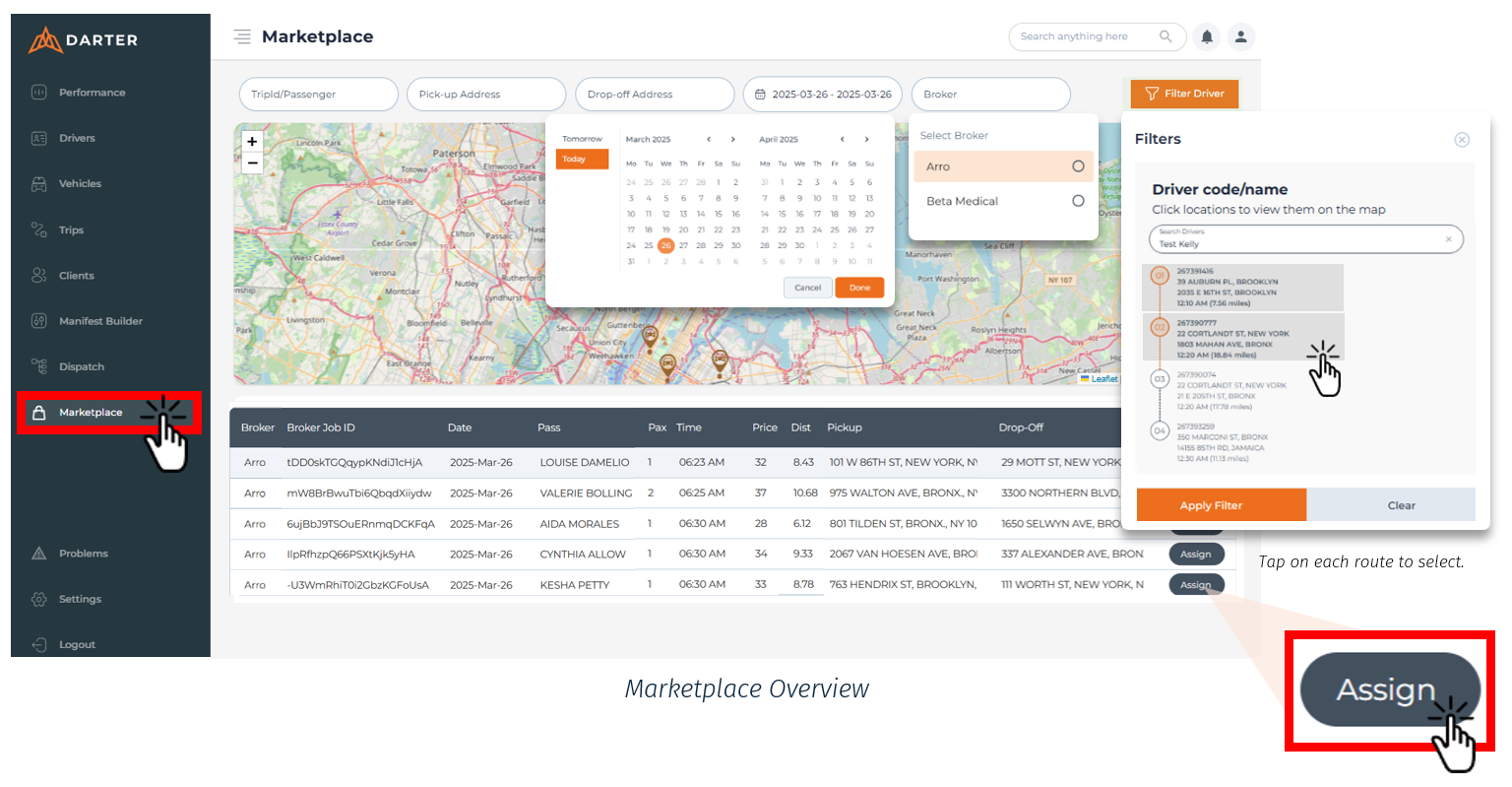
Step 1: Click Filter Driver in the top right of the filter bar.
Step 2: Search by the driver’s name or code to view their active routes. Select the route(s) and click Apply Filter to display them on the map.
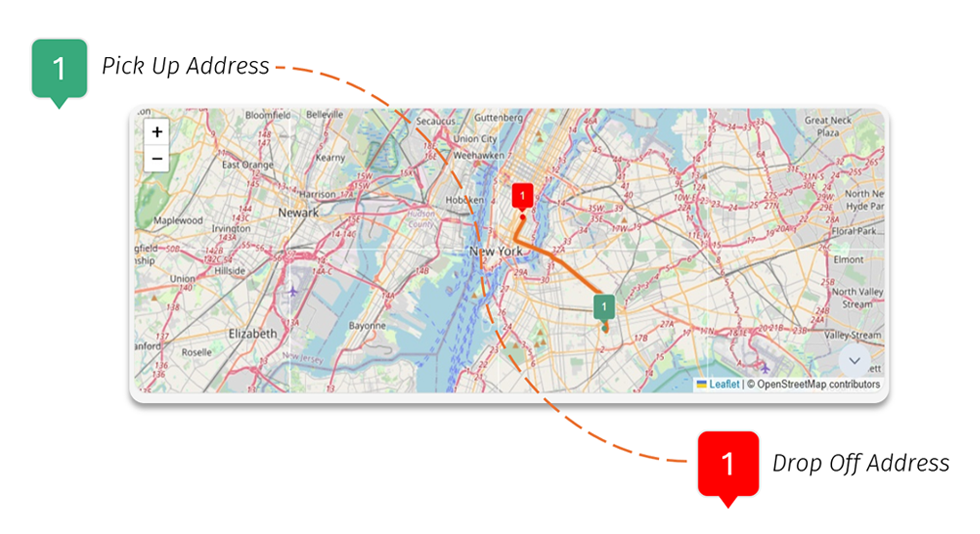
Step 3: Clicking on available trip in the Trip Table will overlay its route on the selected existing route, which will aid in determining the best fit based on the driver’s location at the time.
Step 4: Click Assign in the Trip Table. Done.