You now have more control over how drivers view and access unassigned trips in the Driver App. With our latest update, Marketplace trips can now appear directly within the Available Trips section—giving dispatchers and brokers more flexibility in how trips are shown and assigned.
Key Configuration Updates
Driver App Flexibility You can now decide whether the Available Trips section should appear in the Driver App. This can be set at the Transportation Provider level or customized for individual drivers.
Marketplace Integration Marketplace trips can now be included inside the Available Trips list—if you choose to enable it. This gives your drivers direct access to more unassigned trip opportunities without switching modules.
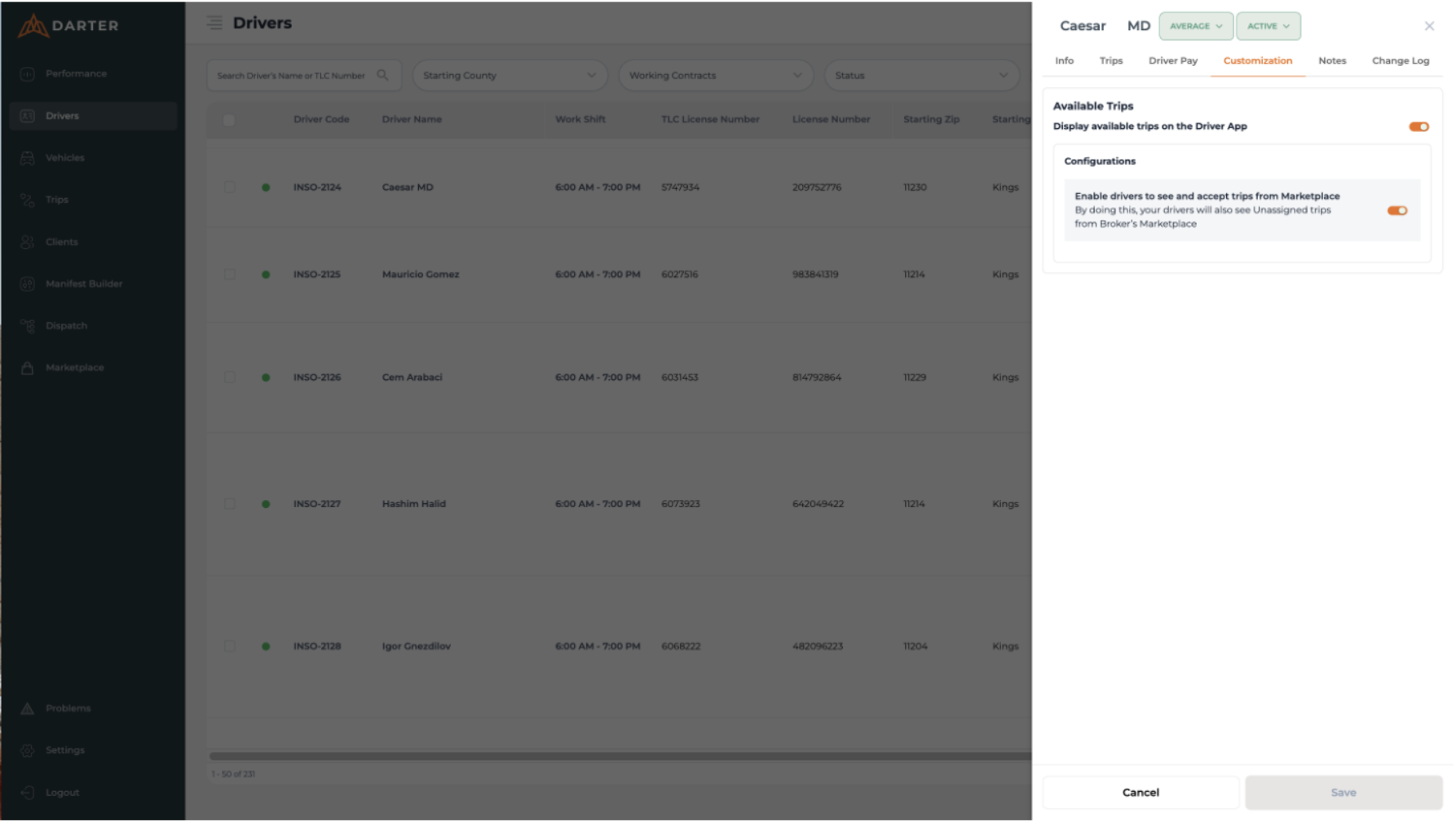
Driver-Level Control You can configure these settings per driver, offering tailored access based on need or role.
How to Update Your Settings
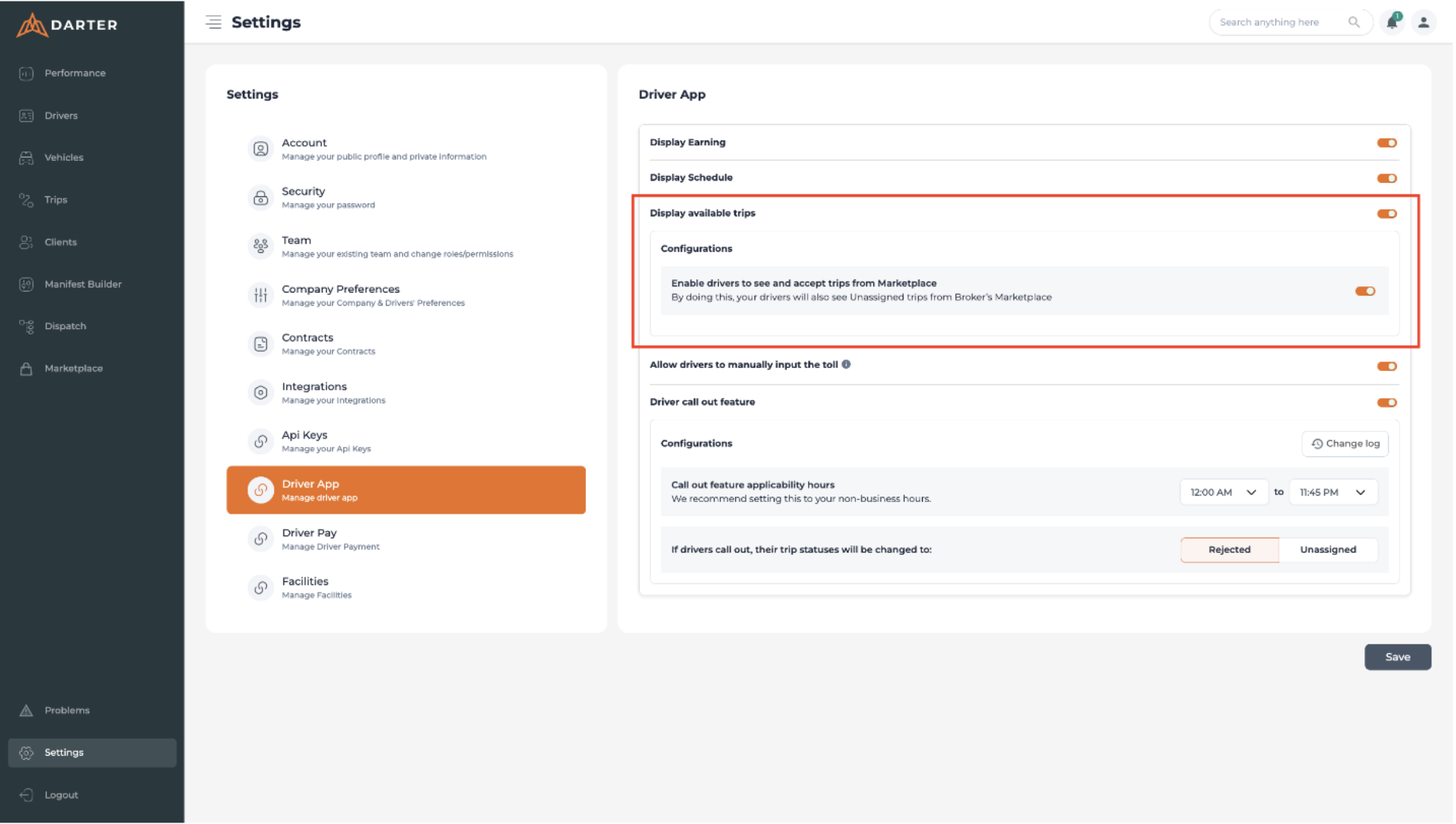
1. Log in to your Darter Portal. 2. Go to Settings. 3. Navigate to Driver App.
Transportation Provider-level configuration available on Settings > Driver App
4. Under Available Trips, you’ll see two toggles:
Show Available Trips
Show Marketplace Trips inside Available Trips
5. Enable or disable each setting at the Transportation Provider level or driver level, depending on your preferences.
Driver-level configuration available on Driver's module
How This Improves the Workflow
You stay in full control over what each driver sees
More trip choices for drivers
Easier to fill open trip slots with the right drivers faster
Need help configuring the feature or want guidance on best practices?